getlanternleads.com
SMS consent evidence
Last updated September 16, 2026
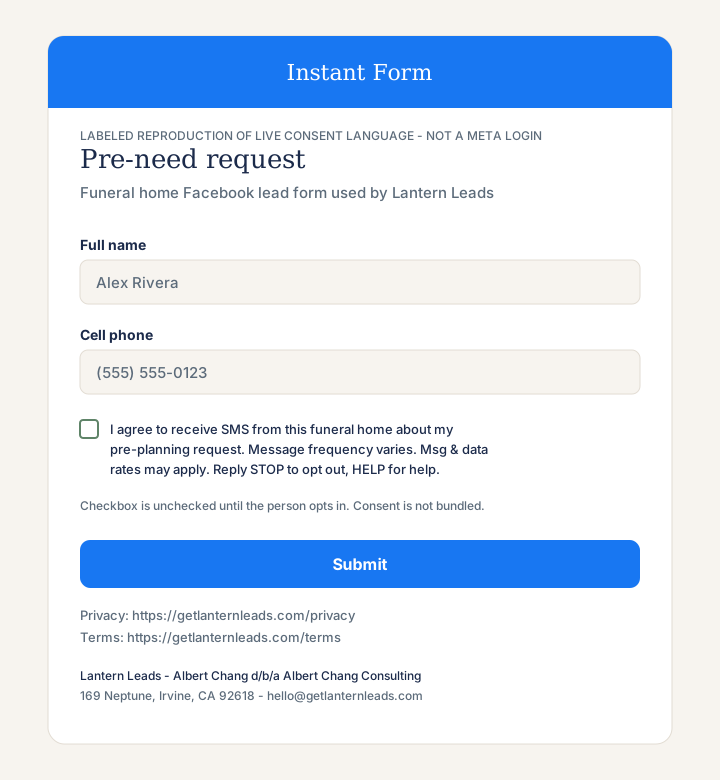
TCR / Twilio reviewers can verify Lantern Leads SMS opt-in here without a Meta login. Facebook Instant Forms are not a public website flow, so this page hosts the live consent language, a walkthrough of every opt-in path, and labeled reproductions of the Instant Form and staff test screens.
Albert Chang, doing business as Albert Chang Consulting (product name Lantern Leads)
169 Neptune, Irvine, CA 92618
Path 1 — Facebook Instant Form (families)
- A funeral home connects its Facebook Page and uses a pre-need Instant Form that Lantern Leads requires to include cell phone and an SMS consent checkbox.
- The person enters their full name and cell phone number on the Instant Form.
- They must check this box (it is not pre-checked): “I agree to receive SMS from this funeral home about my pre-planning request. Message frequency varies. Msg & data rates may apply. Reply STOP to opt out, HELP for help.”
- Submitting the form with the box checked is the opt-in. Consent is campaign-specific and is not hidden in a general agreement.
- Lantern Leads then sends pre-need follow-up texts from that funeral home’s name. Message frequency varies. Message and data rates may apply.
Path 2 — Staff test SMS (funeral-home staff only)
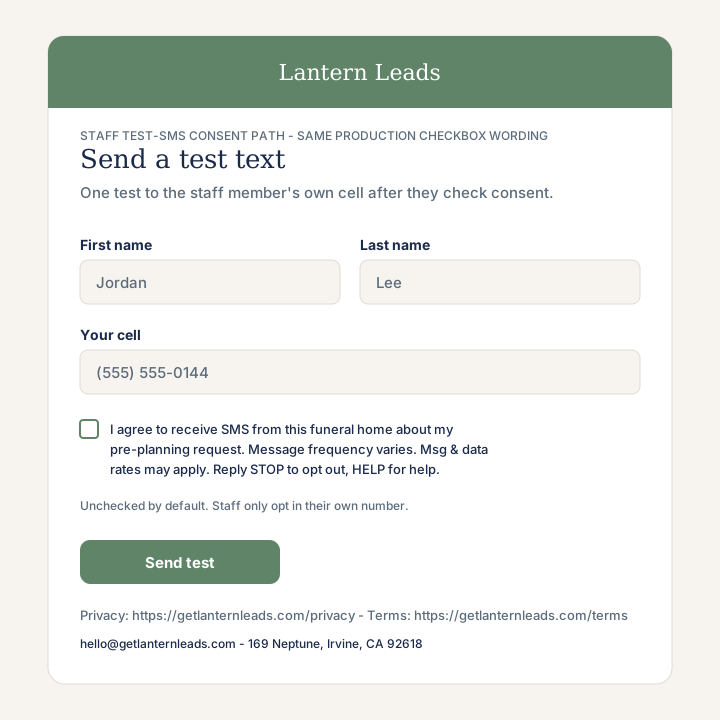
- During setup, a staff member may send one test text to their own cell so they can see what families receive.
- The staff test screen asks for the staff member’s name and cell number.
- They must check the same consent box: “I agree to receive SMS from this funeral home about my pre-planning request. Message frequency varies. Msg & data rates may apply. Reply STOP to opt out, HELP for help.”
- The test text is sent only after that box is checked. Staff do not opt in other people from this screen.
Exact consent checkbox wording
I agree to receive SMS from this funeral home about my pre-planning request. Message frequency varies. Msg & data rates may apply. Reply STOP to opt out, HELP for help.
Message frequency varies. Message and data rates may apply. Reply STOP to opt out, HELP for help. Privacy policy · Terms.